What Is Hyper Color 9 Version?
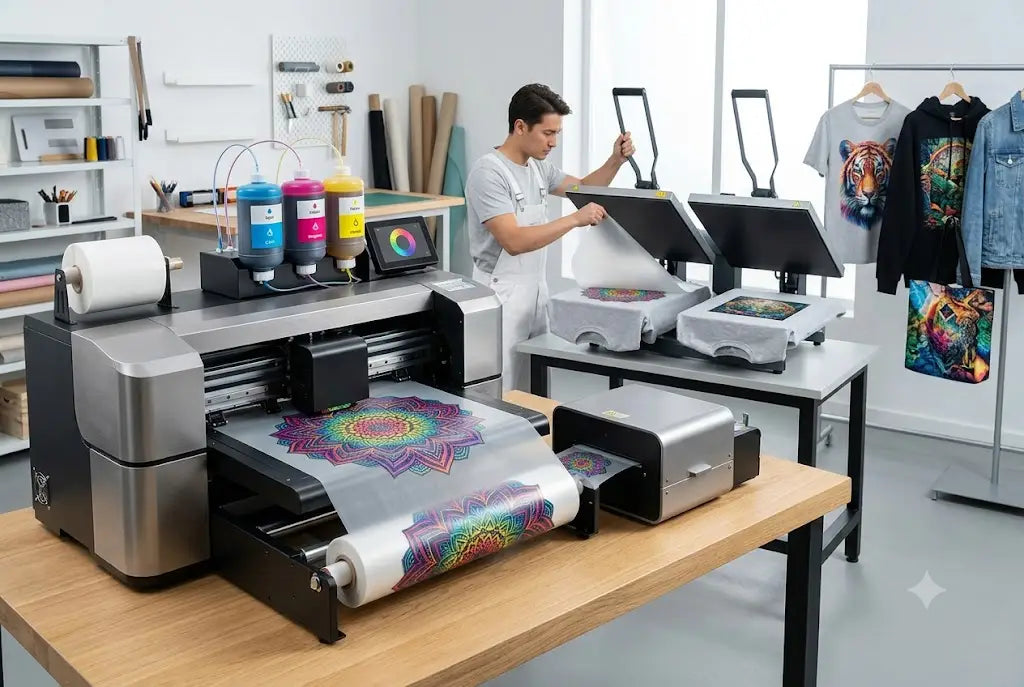
Hyper Color 9 Version is an expanded color printing setup used in Direct to Film, or DTF, and UV DTF production to create cleaner color, sharper artwork, smoother gradients, and stronger brand detail than a basic color setup. It is often described as a 9-color system because it uses standard CMYK color plus added color channels and white support for better print control.
For apparel, product labels, cups, jars, bottles, packaging, and hard surface decals, this helps designs look closer to the artwork your customer approved. If you want sharper branding for West Coast products or apparel, DTF West Coast can help you explore print options that fit the job.
Why Hyper Color 9 Matters in Real Printing?
Most customers do not ask about ink channels. They ask why the red looks dull, why the orange shifted, or why the logo looks flat. That is where Hyper Color 9 technology enters the picture. A wider color setup gives the printer more room to handle colors that basic CMYK may struggle with.
Think bright orange, deep red, clean green, rich blue, and soft gradients. It is not magic. It is control. More print control means fewer ugly surprises when artwork leaves the screen and lands on a shirt, sticker, bottle, or package.
How Does Hyper Color 9 Printing Work?
Hyper Color 9 printing uses an expanded ink setup to create a wider range of printable colors. In simple words, the printer has more color tools to build the final image.
A standard setup may use cyan, magenta, yellow, black, and white. A 9-color setup can add extra color channels, often red, green, blue, and orange, with white support. That wider range can help with brand colors, gradients, shadows, small details, and designs that need more depth.
Why white support matters
White ink helps artwork stand out on dark materials or hard surfaces. It works like a base coat under paint. Without it, color can look weak or muddy.
Why extra colors matter
Extra colors can help print artwork with cleaner reds, oranges, blues, and greens. This is useful for logos, labels, sports graphics, cosmetics branding, and retail packaging.
Hyper Color 9 Features at a Glance
The best way to understand Hyper Color 9 features is to compare what they do in production.
Feature |
What It Helps With |
Best Use |
|
Wider color range |
Brighter reds, greens, blues, and oranges |
Brand logos and product labels |
|
White underbase |
Stronger color on dark or clear surfaces |
Apparel and decals |
|
Cleaner gradients |
Less banding in soft color shifts |
Art prints and packaging |
|
Sharper edges |
Better small text and logo detail |
Labels and stickers |
|
Raised finish option |
More tactile product feel |
UV DTF decals |
|
Short run flexibility |
Less need for factory minimums |
Small business branding |
What Are the Main Hyper Color 9 Benefits?
The biggest Hyper Color 9 benefits are color control, detail, and presentation. If your product depends on visual trust, the print needs to feel clean.
A skincare brand in Seattle may need soft label colors. A coffee roaster in Portland may need warm brown and orange tones. A gym in Tacoma may need bold logos on bottles. A candle maker in the Bay Area may need labels that look giftable.
All of these jobs depend on the same thing: the printed piece has to make the brand look ready. Not rushed. Not “close enough.”
Where Is Hyper Color 9 Used?
Hyper Color 9 applications fit both apparel and hard surface branding, depending on the transfer type. For fabric, it can help detailed DTF transfers look cleaner. For hard goods, Hyper Color 9 UV DTF can be used on products that need peel-and-stick decals with a strong visual finish.
Apparel and soft goods
Use it for shirts, hoodies, tote bags, uniforms, creator merch, and limited brand drops when the artwork has color detail or brand-sensitive tones.
Hard surface products
Use it for cups, bottles, jars, tumblers, acrylic pieces, packaging, product boxes, labels, and small retail goods.
What Is Hyper Color 9 UV DTF?
Hyper Color 9 UV DTF means the expanded color approach is used with UV DTF transfers for hard surfaces. UV means ultraviolet-cured ink. DTF means Direct to Film.
The transfer is printed on film, then applied to a hard surface with pressure. No heat press. That makes it useful for product businesses that need labels or logo decals on items that cannot go under heat.
Hyper Color 9 transfers in UV DTF form can help small brands create product-ready packaging without ordering massive factory runs.
What About the Raised Effect?
The Hyper Color 9 raised effect is one reason product brands like UV DTF decals. The print can have a tactile feel that you can notice with your fingers.
That raised feel is useful for logos, product marks, jar labels, bottle branding, and packaging details. It gives the item a little more presence. Not flashy. Just more finished.
“Good branding is not only what people see. It is also what they feel when they pick up the product.” That is a shop-floor truth. Texture changes perception.
Are Hyper Color 9 Waterproof Stickers Really Waterproof?
The phrase Hyper Color 9 waterproof stickers usually points to UV DTF decals made for hard surfaces that need water resistance in normal use.
Here is the honest version. These decals can work well on cups, jars, bottles, and packaging when applied to clean, smooth surfaces. They can handle normal handling and light moisture better than paper labels. But “waterproof” should not mean “abuse proof.”
Do not promise dishwasher survival unless the exact product has been tested for that use. Hand washing and gentle care are safer for branded drinkware and jars.
How Businesses Use Hyper Color 9 Custom Branding
Hyper Color 9 custom branding helps when a business needs a logo or design to carry the product.
For example, a Tacoma gym can brand shaker bottles. A Portland candle seller can add raised jar labels. A Seattle coffee brand can create sample bag decals. A Tukwila shop can make limited run packaging for a local event. A Bay Area skincare startup can test label styles before scaling.
This is where custom branding solutions matter. You can test small runs, update artwork, and avoid holding too much packaging inventory too soon.
When Should You Choose This Printing Option?
Choose a Hyper Color 9 printing solution when color accuracy, sharp logo detail, raised finish, or product presentation matters. It may not be needed for every job. A simple one color logo can work fine with a basic setup. But if your artwork uses strong color, gradients, small type, or retail-facing branding, the extra control can help.
Use it when the print is part of the sale. If the package, bottle, cup, or shirt needs to earn trust at first glance, better print control matters.
What File Setup Works Best?
Start with clean artwork. That sounds basic. It is also where many print problems begin.
Use high resolution PNG, PDF, SVG, or vector files when available. Keep logos sharp. Avoid screenshots. Check small text at the final print size. If it looks fuzzy on your screen, it may print fuzzy too.
A good file helps the printer do its job. Bad files make even good technology look bad. Annoying, but true.
West Coast Use Cases That Make Sense
On the West Coast, small brands move fast. Makers test products at markets. Apparel brands launch drops. Food and drink sellers try seasonal packaging. Print shops handle mixed custom jobs.
In Seattle, this can mean product decals for Capitol Hill brands, Fremont makers, SODO shops, or Ballard coffee sellers. In Portland, it can mean packaging for Hawthorne, Mississippi Avenue, Pearl District, or Alberta Arts District makers. In Tacoma, it can support gyms, salons, youth teams, and service brands.
In Tukwila, retail and event businesses near Southcenter and Andover Park can use short-run branding for promos. In the Bay Area, Menlo Park, Palo Alto, Redwood City, San Jose, and Oakland startups can use small batch product labels before committing to bigger packaging runs.
Bring Hyper Color 9 Version Projects to DTF West Coast
If Hyper Color 9 Version sounds like the right fit for your product labels, decals, apparel transfers, bottles, jars, cups, packaging, or short-run brand merch, start with clean artwork and a clear use case. Then choose the transfer type based on the surface.
can help West Coast creators, brands, print shops, and small businesses explore Hyper Color 9 printing for sharper color, raised UV DTF effects, and better product presentation.
FAQs
What is Hyper Color 9 Version?
Hyper Color 9 Version is an expanded color printing setup used to improve color range, detail, and branding control in DTF and UV DTF transfer production.
What are the main Hyper Color 9 features?
Hyper Color 9 features can include a wider color range, white ink support, sharper logo detail, smoother gradients, and raised UV DTF effects.
What are Hyper Color 9 benefits?
Hyper Color 9 benefits include stronger color control, better product presentation, cleaner detail, and more polished branding for short run or custom work.
What are Hyper Color 9 applications?
Hyper Color 9 applications include apparel transfers, product decals, jars, bottles, tumblers, cups, packaging, labels, and small business merch.
Is Hyper Color 9 UV DTF for shirts?
Hyper Color 9 UV DTF is mainly for hard surface decals. For shirts and hoodies, regular DTF transfers are the better fit.
What is the Hyper Color 9 raised effect?
The Hyper Color 9 raised effect is a tactile finish often used in UV DTF decals so logos and labels feel slightly raised on the surface.
Are Hyper Color 9 waterproof stickers safe for drinkware?
Hyper Color 9 waterproof stickers can be water-resistant in normal use when applied correctly, but hand washing is safer unless dishwasher durability has been tested.
Who should use Hyper Color 9 custom branding?
Hyper Color 9 custom branding is useful for creators, product sellers, apparel brands, print shops, cafes, candle makers, skincare brands, and small businesses.
Conclusion
Hyper Color 9 Version is about better print control. More color range. Cleaner details. Stronger branding. A raised finish when UV DTF is used. It helps when your artwork has to look sharp on real products, not just on a screen. Start with a clean file, match the transfer to the surface, and test before scaling. That is how you keep the print from getting weird later.
Share:
Best Products to Sell Using UV DTF Stickers Easily: Complete Guide