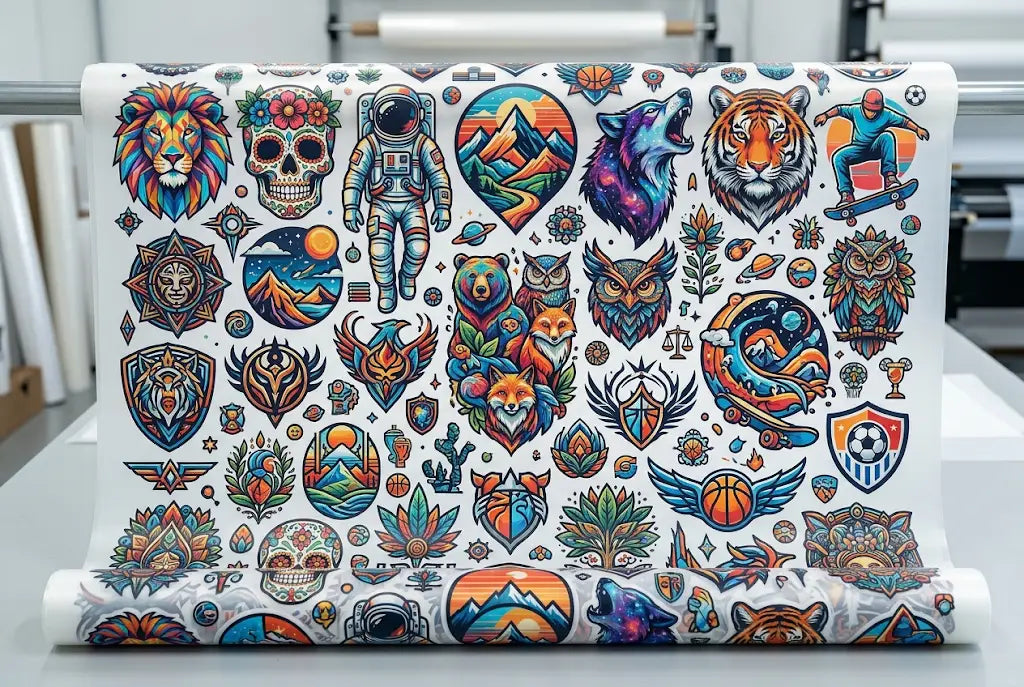
A DTF gang sheet fits more designs when you start with final artwork sizes, place the largest prints first, group related designs together, and leave enough room for cutting. The goal is not to cram every inch. The goal is to use the sheet in a way that saves film, saves time, and keeps each transfer easy to cut, sort, and press.
For West Coast print shops, schools, brands, creators, and event sellers, a clean layout can make bulk orders feel much less chaotic. DTF West Coast helps businesses build custom gang sheets, use builder tools, and order ready-to-press transfers with practical production support.
How to Create the Best DTF Gang Sheet Layout
A DTF gang sheet should be planned around final print size, not guessed from a screen mockup.
DTF gang sheets save space when large designs go down first, and small graphics fill useful gaps.
A clean DTF gang sheet layout reduces waste, cutting mistakes, sorting confusion, and reorder stress.
A DTF gang sheet builder helps preview spacing, duplicate artwork, and test layout options before ordering.
The best DTF gang sheet layout is not the tightest layout. It is the one that prints clean, cuts clean, and presses clean.
Why Gang Sheet Layout Matters
A messy gang sheet can cost you more than film.
It can cost time. It can cost transfers. It can turn a simple shirt order into a table full of mystery logos. We have all seen that one sheet where everything is packed like a junk drawer. Looks efficient. Feels awful later.
A good gang sheet layout works like a clean toolbox. Every piece has a place. You know what belongs together. You know where to cut. You know what gets pressed first.
What Is a DTF Gang Sheet?
A DTF gang sheet is one larger Direct to Film transfer sheet that holds multiple designs in one print layout. After printing, each design is cut apart and heat pressed onto shirts, hoodies, tote bags, sweatshirts, or other compatible garments.
It is useful when an order has several print placements or repeat artwork.
What goes on one sheet?
A sheet can include chest logos, large back prints, sleeve graphics, names, numbers, neck labels, pocket marks, brand icons, event designs, and reorder graphics.
Why businesses use gang sheets
Businesses use DTF gang sheets because they help group artwork, reduce blank film space, support bulk orders, and make repeat production easier.
What Makes a Good DTF Gang Sheet Layout?
A good DTF gang sheet layout starts with purpose.
You need to know what every design is, where it will go, and how many copies you need. Then you build the sheet around the real order. Not around random extras. Not around “maybe we use this later” graphics.
Start with final print size.
Every design should be sized before it hits the sheet. A hoodie back print, sleeve logo, and neck label all need different space.
Think about cutting
If scissors or a blade cannot move between designs, the sheet is too tight. Space is not a waste when it prevents damage.
DTF Gang Sheet Spacing Guide
A DTF gang sheet spacing guide helps keep the layout usable after printing.
Spacing does not need to be huge, but it needs to be real. Tight artwork can make cutting slow. It can also create mistakes when small logos sit too close to large prints.
|
Layout Area |
Smart Spacing Habit |
Why It Helps |
|
Large prints |
Leave clear edges |
Easier trimming |
|
Small logos |
Group in rows |
Faster sorting |
|
Sleeve marks |
Place near related job |
Cleaner workflow |
|
Neck labels |
Use narrow gaps |
Better space use |
|
Reorder art |
Keep in one section |
Easier storage |
|
Mixed customers |
Separate by group |
Fewer mix-ups |
DTF Gang Sheet Layout Guide for Better Orders
A DTF gang sheet layout guide should make ordering feel easier, not more technical.
Start by placing the largest designs first. Then add medium graphics. Then use leftover spaces for small approved designs. This keeps the sheet balanced.
Large first
Large back prints and full front graphics control the layout. Place them before anything else.
Small second
Use small gaps for pocket logos, sleeve marks, neck labels, and approved reorder artwork.
Best DTF Gang Sheet Layout for Real Production
The best DTF gang sheet layout is the one your team can use without guessing.
A sheet for one customer can be packed tighter than a sheet with five customer jobs. A sheet for a team order should group names and numbers clearly. A sheet for a brand drop should keep each product or design family together.
“Smart layout is not about filling space. It is about removing friction.”
That is the whole lesson. Less chaos. More output.
How to Make a DTF Gang Sheet
How to make a DTF gang sheet starts with a clean order list.
Write down every design, final size, quantity, garment type, and placement. Then choose the sheet size. Add the largest artwork first. Fill open areas with useful smaller designs. Leave cut room. Preview everything before ordering.
Simple layout workflow
- Confirm the artwork is approved.
- Set every design to final print size.
- Place large designs first.
- Group related prints together.
- Add small graphics into useful gaps.
- Leave enough cutting space.
- Preview the full sheet.
- Save the layout for reorders.
DTF Gang Sheet Artwork Placement
DTF gang sheet artwork placement is about putting each design where it makes sense on the sheet.
Do not scatter one customer’s logos across the whole layout if you can avoid it. Do not mix sleeve graphics with unrelated back prints unless the spacing truly works. Keep the person cutting the sheet in mind.
Group by customer
This works best for print shops with multiple jobs on one sheet. It reduces sorting mistakes.
Group by placement
Put front designs with front designs. Put sleeve marks with sleeve marks. Put labels in narrow open spaces.
Gang Sheet Space Optimization Without Overpacking
Gang sheet space optimization is not the same as cramming.
You want to fill useful space with useful artwork. A random design you may never press is not savings. It is clutter with adhesive.
Good filler artwork
Pocket marks, small logos, sleeve hits, neck labels, reorder icons, and approved sample prints make good fillers.
Bad filler artwork
Unapproved art, blurry screenshots, random ideas, and customer files that may change later can cause trouble. Keep them off the sheet.
How a DTF Gang Sheet Builder Helps
A DTF gang sheet builder helps you upload artwork, resize designs, duplicate pieces, rotate graphics, arrange the sheet, and preview the final layout.
That preview is huge.
You can catch missing copies, wasted gaps, wrong sizes, or crowded designs before the sheet is printed. That alone can save a rush order.
Builder strength
A builder is great for small shops, Etsy sellers, school clubs, local teams, and creators who want visual control without advanced design software.
Builder limit
A builder cannot fix weak artwork. A blurry logo stays blurry. Annoying, but true.
Gang Sheet Builder vs Manual Layout
A gang sheet builder is faster for many users. Manual layout works when a designer already has a full file built at the correct sheet size.
Both can work. The choice depends on your skill, order volume, and how much control you need.
|
Method |
Best For |
Watch Out For |
|
Builder layout |
Fast mixed orders |
Check final sizes |
|
Manual layout |
Designer-made files |
Export correctly |
|
Saved layout |
Repeat jobs |
Name files clearly |
|
Grouped sections |
Multi-customer orders |
Leave cut space |
|
Tight packing |
Small repeat logos |
Avoid overpacking |
Gang Sheet Layout Tips That Save Time
Good gang sheet layout tips are simple, but they matter.
Place big designs first. Keep duplicates the same size. Leave space for cutting. Keep related designs together. Use small gaps with purpose. Save the final layout with the customer name, sheet size, and date.
Do not rotate everything.
Rotation can save space, but rotated text-heavy designs can slow sorting and cutting. Use it when it helps, not just because it fits.
Keep duplicates consistent
If one logo is supposed to be 4 inches wide, all copies should stay 4 inches wide. Tiny size changes can look sloppy on finished apparel.
Common Layout Mistakes to Avoid
The biggest mistake is treating the sheet like a puzzle instead of a production tool.
A puzzle only needs to fit. A gang sheet needs to fit, cut, sort, press, and reorder. Big difference.
Watch for these problems.
Avoid tiny cut gaps, mixed customer artwork with no grouping, low-resolution files, hidden backgrounds, uneven duplicate sizes, and designs placed too close to sheet edges.
DTF Gang Sheets for West Coast Production
West Coast businesses move fast.
Seattle schools need spirit wear. Portland makers prep market drops. Los Angeles brands test streetwear collections. San Diego teams order event merch. Bay Area startups need staff apparel that looks sharp.
A clean gang sheet helps those orders move without turning the press table into a mess. Simple systems win.
Build Cleaner Gang Sheet Layouts With DTF West Coast
A clean DTF gang sheet layout helps you fit more designs, reduce waste, cut faster, and keep orders easier to repeat.
DTF West Coast helps West Coast creators, schools, teams, print shops, and apparel brands use DTF gang sheets, builder layouts, uploaded custom sheets, and ready-to-press transfers for smoother production.
FAQ
What is the best way to lay out a DTF gang sheet?
The best way to lay out a DTF gang sheet is to place large designs first, group related artwork, add smaller designs into useful gaps, and leave room for cutting.
What is a DTF gang sheet layout?
A DTF gang sheet layout is the arrangement of multiple transfer designs on one sheet before printing.
What is the best DTF gang sheet layout?
The best DTF gang sheet layout is clean, grouped, easy to cut, and built around real designs you plan to press.
How much space should I leave between designs?
A DTF gang sheet spacing guide should leave enough room for clean cutting, especially around large prints, sleeve marks, labels, and small logos.
How does a DTF gang sheet builder help?
A DTF gang sheet builder helps you upload, size, duplicate, arrange, rotate, and preview designs before ordering.
What are the best gang sheet layout tips?
Gang sheet layout tips include placing large graphics first, grouping by job, leaving cut space, keeping duplicates consistent, and saving layouts for reorders.
How do you make a DTF gang sheet?
How to make a DTF gang sheet starts with approved artwork, final print sizes, design quantities, clean spacing, and a checked preview.
What is gang sheet space optimization?
Gang sheet space optimization means using blank areas with useful small artwork without crowding the sheet or making cutting harder.
Conclusion
A better gang sheet layout does not start with squeezing. It starts with planning.
Size the artwork. Place big designs first. Group the order. Fill useful gaps. Leave cut room. Then save the layout so the next order gets easier.
Share:
How to Calculate the Right DTF Gang Sheet Size for Your Order
How to Organize Different DTF Designs on One Gang Sheet